Trusted system repairs
Run SFC and DISM to check protected system files and repair the Windows component store.
Windows maintenance, without the nonsense
Maintenance Goblin is an open-source Windows maintenance utility that puts trusted system repair and cleanup tools behind one approachable dashboard—with conservative defaults and no miracle claims.
Windows 10 & 11Standalone .exeNo Python required
The honest optimiser
Maintenance Goblin is a friendly SFC GUI, DISM GUI, CHKDSK diagnostic tool, and Windows cleanup utility in one. It provides an interface for legitimate tools already built into or trusted by Windows, plus careful temporary-file cleanup.
It exists to make routine system care easier to understand. The project is transparent and open source, with no registry cleaner, fake health score, “RAM booster,” advertising, or bundled software.
What it does
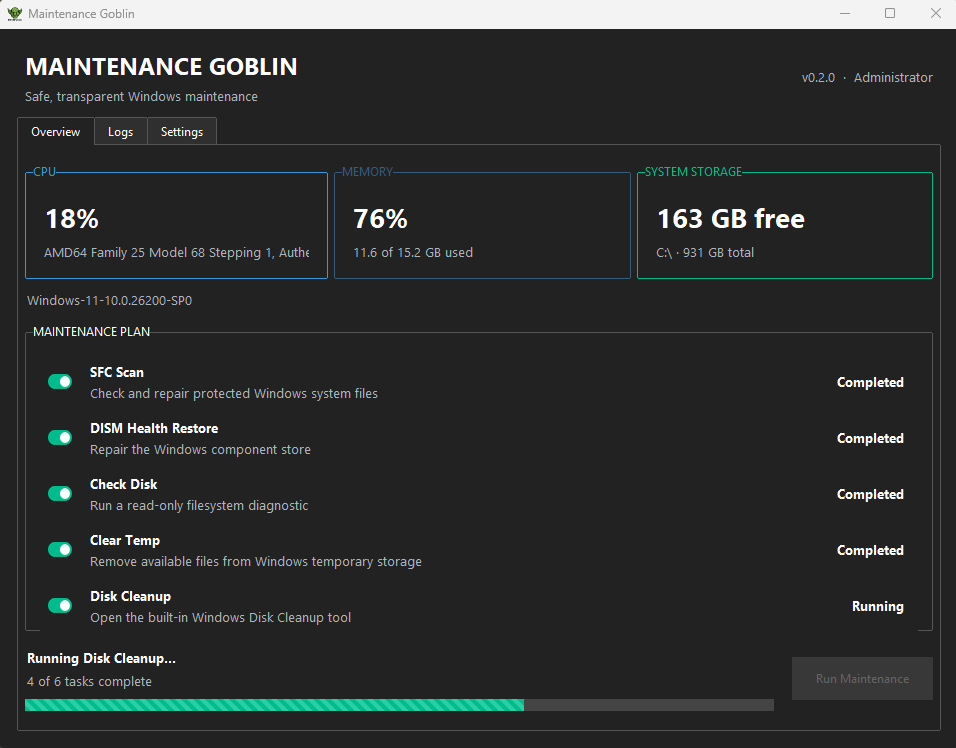
Choose the work you need, then follow each step from the same responsive dashboard.
Run SFC and DISM to check protected system files and repair the Windows component store.
Use read-only CHKDSK diagnostics and Windows' media-aware drive optimisation for the system drive.
Clear available temporary files—skipping locked items—and open Windows Disk Cleanup.
See queued, running, completed, and skipped states, plus task timing and overall progress.
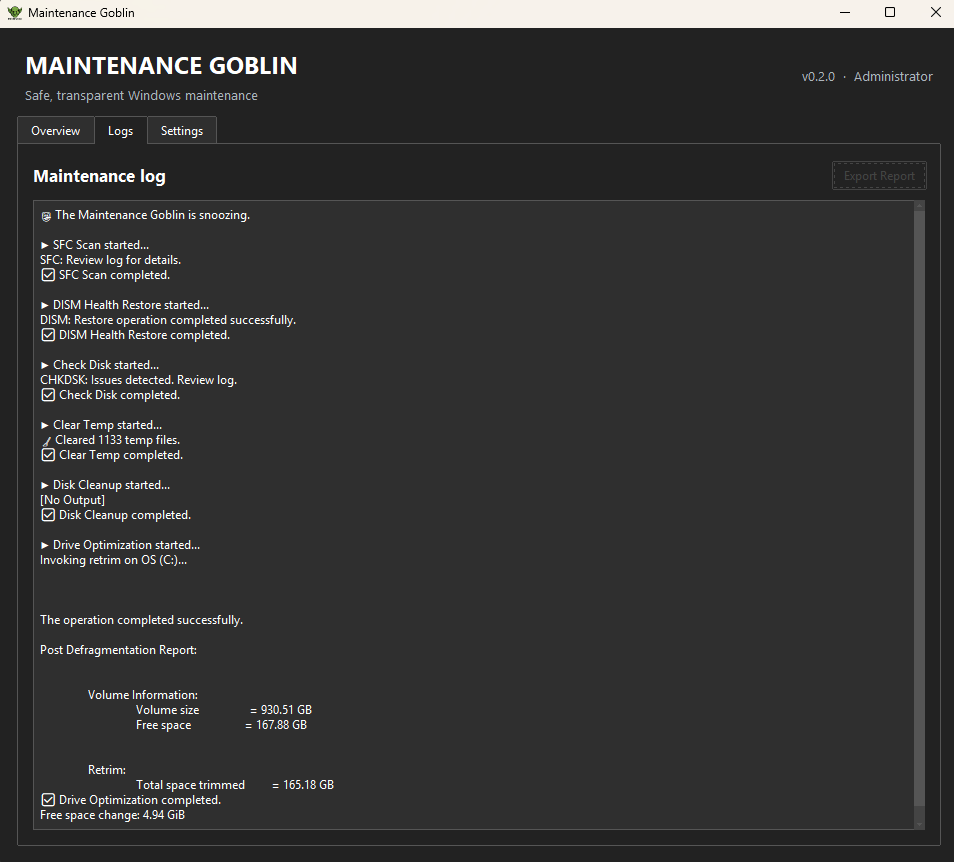
Review live command output and export a timestamped text report for the current session.
Choose from three themes, optionally launch at sign-in, and unlock achievements stored locally.
A look inside
How it works
This is a dashboard for genuine Windows maintenance—not a questionable “PC optimiser” promising instant speed boosts.
System File Checker scans protected Windows files and repairs available problems. DISM checks and restores the component store that Windows uses as a repair source. Maintenance Goblin provides a clear GUI for running both tools and reading their output.
CHKDSK runs as a read-only diagnostic on the C: drive—without repair, dismount, or surface-scan flags. Drive optimisation asks Windows to choose the appropriate operation for the system drive's media type.
Temporary-file cleanup skips locked or inaccessible items, while Disk Cleanup opens the built-in Windows utility. Administrator permission is required because system repair and drive-maintenance commands need elevated Windows access.
A little extra help
Maintenance Goblin handles the boring built-in Windows maintenance jobs. These free tools are useful when you need to dig a little deeper.
Clean uninstall
Helps properly uninstall Windows programs and remove leftover files, folders, and registry entries that normal uninstallers can leave behind.
Visit the official Revo Uninstaller websiteDisk space
Visualises storage usage so you can analyse disk space and quickly see which folders and files are taking up the most room.
Visit the official WinDirStat websiteThird-party tools listed here are independent projects and aren't affiliated with Maintenance Goblin.
A note about SmartScreen
The current Windows executable is not yet code-signed. Windows SmartScreen may therefore display an Unknown Publisher or unrecognised app warning. This is expected for the current release and reflects the missing signature.
Maintenance Goblin is open source, so you can inspect exactly what it does. For a trustworthy download, use only the official GitHub Releases page and verify the published SHA-256 checksum.
Common questions
Maintenance Goblin is a free, open-source Windows maintenance utility that brings trusted system tools into one approachable dashboard.
Maintenance Goblin uses conservative defaults and built-in Windows tools. Its source code is public; download only from the official GitHub Releases page and verify the supplied SHA-256 checksum.
The current executable is not code-signed, so Windows may show an Unknown Publisher or SmartScreen warning. That warning reflects the missing signature, not a claim that the file has been verified as safe.
Yes. Its SFC GUI runs System File Checker to scan and repair protected system files, while its DISM GUI repairs the Windows component store.
Yes. The current release supports Windows 10 and Windows 11.
No. The downloadable MaintenanceGoblin.exe is a standalone application and does not require a separate Python installation.
No. Maintenance Goblin does not include a registry cleaner, RAM booster, or unsupported health score.
The maintenance tasks run locally and do not require Maintenance Goblin to send telemetry or show advertising. Some Windows repair operations may independently need access to Windows repair sources.
Maintenance Goblin runs CHKDSK as a read-only diagnostic on the C: drive. It reports file-system information without using repair, dismount, or surface-scan options.
Windows system scans inspect many files and components, so their duration depends on your storage, system condition, and the work Windows needs to perform.
Release 0.2.0
Get the ready-to-run release executable from GitHub. The checksum is included separately so you can verify your download.
Download Latest ReleaseOpens the official GitHub Releases page
The Developer
Maintenance Goblin is an open-source project by Adam Johnston. Follow the work on GitHub, visit adamj.link, or get in touch.